Spying at 60FPS
or, how I built a fast animating frontend in React for some *~spooky~* folks, without any animation libraries
Grab the source code!


The mission:
- Animate stuff
- Use React, for reasons (real reasons!)
- Don't have jank, hopefully
What this isn't:
- CSS animations
About me
- Software engineer at martech company
- Occasional freelancer for projects where I try out bad ideas




About You
You'll get the most out of this talk if you:
- Are at least comfortable with React
- Have heard the word "animate" before
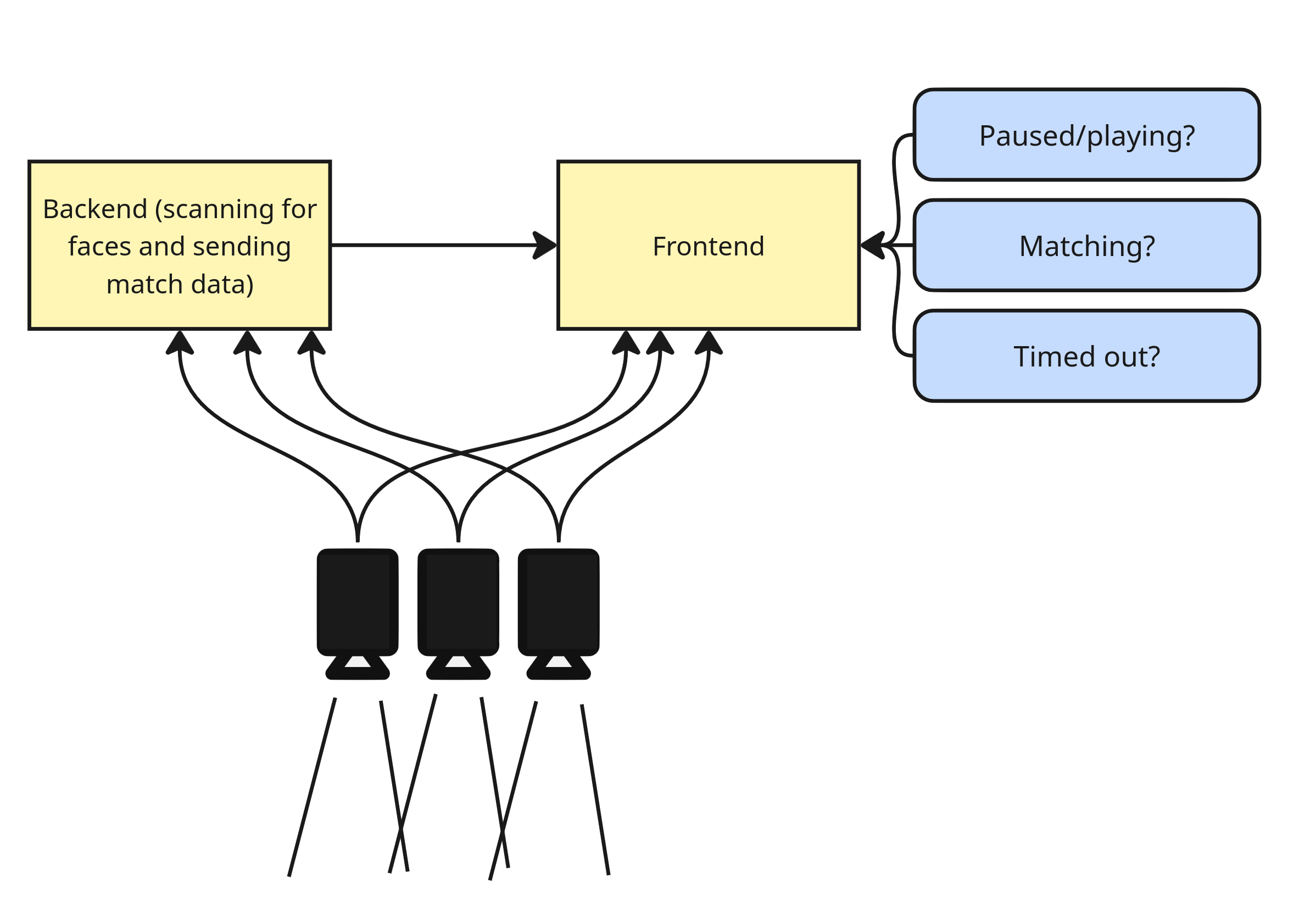

So why React?
Cons:
- Virtual DOM means React can't get this performance out of the box
- No library exists that is flexible enough for this use case
Pros:
- React makes managing complex state easy
- Free GPU acceleration in modern browsers
- If all you have is a hammer everything is a nail I guess?
Winner: React
IF you have:- a complex UI (and only a small part is animation)
- the animation can't be done in CSS
Animate in React in 3 easy steps
- Get the data fast: Websockets
- Loop fast: RequestAnimationFrame
- Draw the data fast: HTML Canvas
- Debugging tips
Live demo time
Get the source code
Websockets
For when you need to move data from the backend to the frontend with no latency

credit: Marshall Ruse
Websockets!
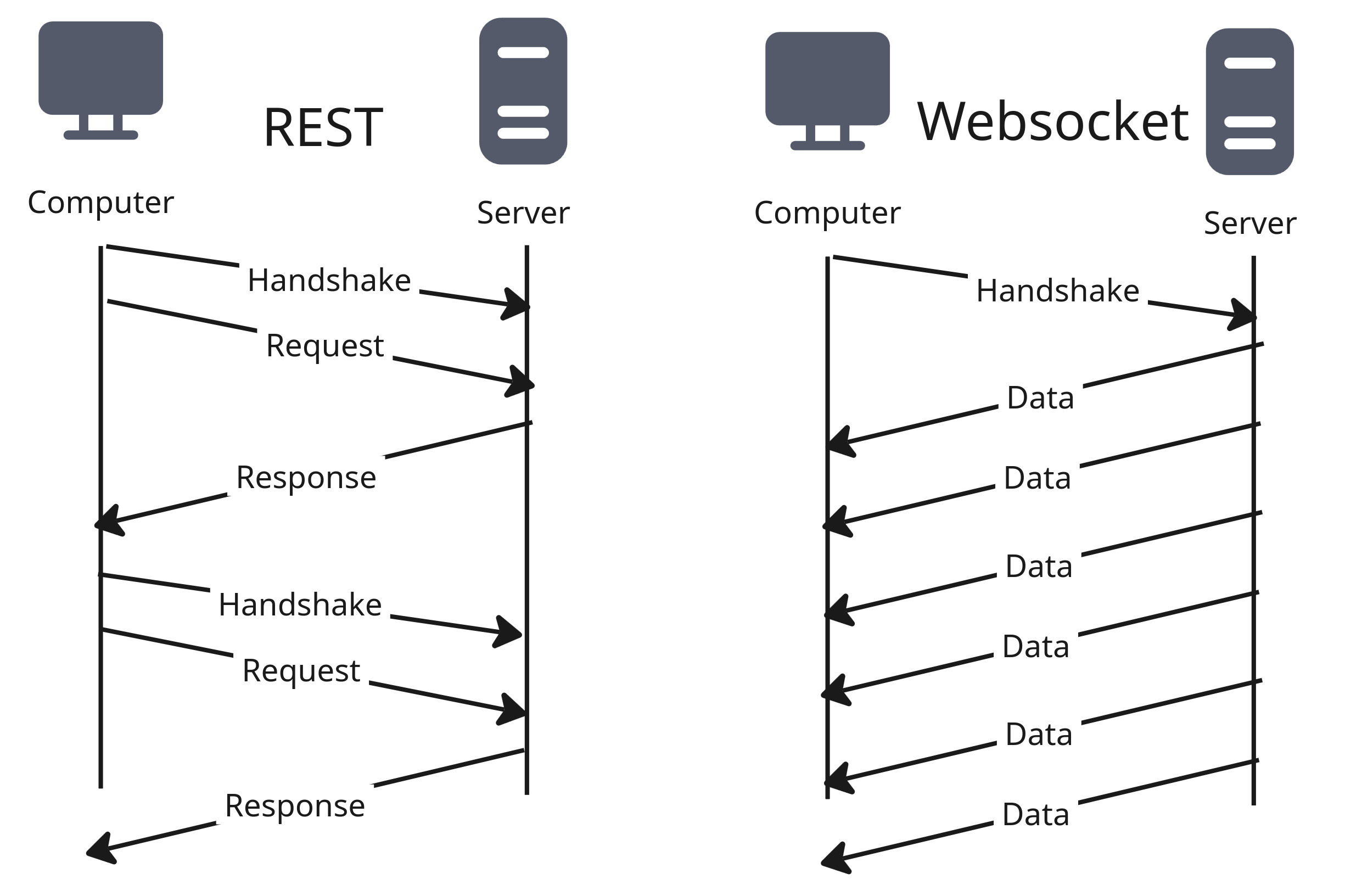
- Open connection once, persist for life of the app
- Reduces bytes transferred by ~80%
- Don't think too hard about it, just use a library
Why it works
Quick note on websocket libraries
react-use-websocket
- 1,300 stars on github
- doesn't work for fast-refreshing applications
react-use-websocket-lite
- 17 stars on github
- works perfectly
- also 100kb lighter
Animate in React in 3 easy steps
- Get the data fast: Websockets
- Loop fast: RequestAnimationFrame
- Draw the data fast: HTML Canvas
- Debugging tips
What's requestAnimationFrame?
The rude way to animate
setInterval(()=>draw(),1000/60)
- Doesn't take priority over other browser tasks (so can stutter or skip)
- Is not guaranteed to run in the interval specified, it's just a best estimate
- MIGHT keep chugging away even if the user abandons the tab

The polite way to animate

requestAnimationFrame(draw)
- Synced to display refresh rate (magic??)
- Will DEFINITELY automatically pause if user leaves
Basic syntax for requestAnimationFrame
function draw() {
	//animation logic goes here
    requestAnimationFrame(draw);
  	}
requestAnimationFrame(draw);
requestAnimationFrame with React, for an animation that runs indefinitely
useEffect(() => {
	let animationFrameId;
	const draw = () => {
    //animation logic here
		animationFrameId = requestAnimationFrame(draw);
	};
    draw();
	return () => {
     	cancelAnimationFrame(animationFrameId);
   	};
},[]);
Animate in React in 3 easy steps
- Get the data fast: Websockets
- Loop fast: RequestAnimationFrame
- Draw the data fast: HTML Canvas
- Debugging tips
What's in the animate loop?
HTML Canvas
- The backbone of drawing on the Web
- Draw lines, shapes, text, images
- Used in popular libraries like Phaser.js, p5.js
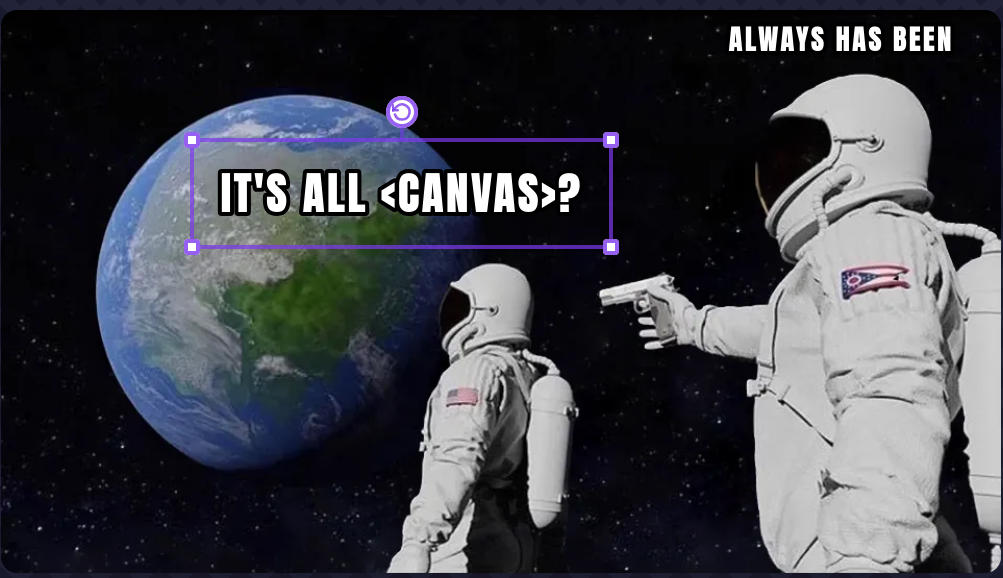

Point of order...
render
- "put lines, shapes, etc onto a screen to create an animation"
render
- "put a component into the DOM for the first time, or update that component"
useRef
- an "escape hatch" for React to give direct DOM access
- Often used for setting focus, scrolling into view, etc
- Perfect for drawing on a
<canvas>element also
const Canvas = ({props})=>{
	const canvasRef = useRef(null);
	const [context, setContext] = useState(null);

	useEffect(() => {
    	if (canvasRef.current) {
      	setContext(canvasRef.current.getContext("2d"));
      	}
  	}, []);
	return <canvas ref={canvasRef}>;
}
const listOfPoints=[{x:0,y:0},{x:2,y:5}....]
context.clearRect(0, 0, canvasWidth, canvasHeight);
context.beginPath();
context.moveTo(startX,startY);
for (const pointPair of listOfPoints) {
context.moveTo(
pointPair.x
pointPair.y);
}
context.stroke();
const myPoints = [{x:10,y:220},{x:125,y:10},{x:250,y:220}];
	ctx.strokeStyle="lightblue";
	  ctx.beginPath();
	  ctx.moveTo(250,220);
for (const point of myPoints){
	ctx.lineTo(point.x,point.y);
}
ctx.stroke();
const canv = //same stuff as before
let animationFrameId;
const draw = ()=>{
ctx.clearRect(0,0,300,300);
const myPoints = //determined by backend, or (in this example case, Math.random())
ctx.beginPath();
for (const point of myPoints){
ctx.lineTo(point.x,point.y);
}
ctx.stroke();
animationFrameId = requestAnimationFrame(draw);
}
  useEffect(() => {
    const draw = () => {
      if (facesRef.current) {
        context.clearRect(0, 0, canvasWidth, canvasHeight);
        context.beginPath();
			for (const face_point of facesRef.current) {
            context.lineTo(
              face_point.x,
              face_point.y,
            );
            context.stroke();
          }
        }
      }
    };
    let animationFrameId;
      const renderAndRequestNewFrame = () => {
        draw();
        sendMessage("{'sendNext':'frame'}");
        animationFrameId = requestAnimationFrame(renderAndRequestNewFrame);
      };
      renderAndRequestNewFrame();
    return () => {
      cancelAnimationFrame(animationFrameId);
  }, [facesRef, context, sendMessage]);
Animate in React in 3 easy steps
- Get the data fast: Websockets
- Loop fast: RequestAnimationFrame
- Draw the data fast: HTML Canvas
- Surprise extra tips: prevent rerenders and work with, not against, JS
- Debugging tips
Memoize This Component
What is React.Memo?
- Without memo: When parent rerenders, children re-render
- With memo: children only re-render when their props change (React does shallow prop comparison tho)
- Replacement for
componentShouldUpdatein the days of class components - Don't overuse: React now has to calculate whether to re-render the component
- React 19+ with React Compiler might handle this for you?
Basic syntax for Memo
const MyComponent = ({props})=>{
						/*some very cool stuff here*/
						return (<>Very Cool Component {props.name}<>)
			}

export default React.memo(MyComponent);
Work with, not against, Javascript
When Loop Performance Matters
myArray.forEach(item=>doSomethingWith(item));
//is SIGNIFICANTLY slower than
for (const item of myArray){
	doSomethingWith(item)
}
Some benchmarks put for..of as more than twice as fast as .forEach.
(I tried my own benchmark and forEach crashed my computer 🤷♀️)
Animate in React in 3 easy steps
- Get the data fast: Websockets
- Loop fast: RequestAnimationFrame
- Draw the data fast: HTML Canvas
- Surprise extra tips: prevent rerenders and work with, not against, JS
- Debugging tips
Useful debugging tools
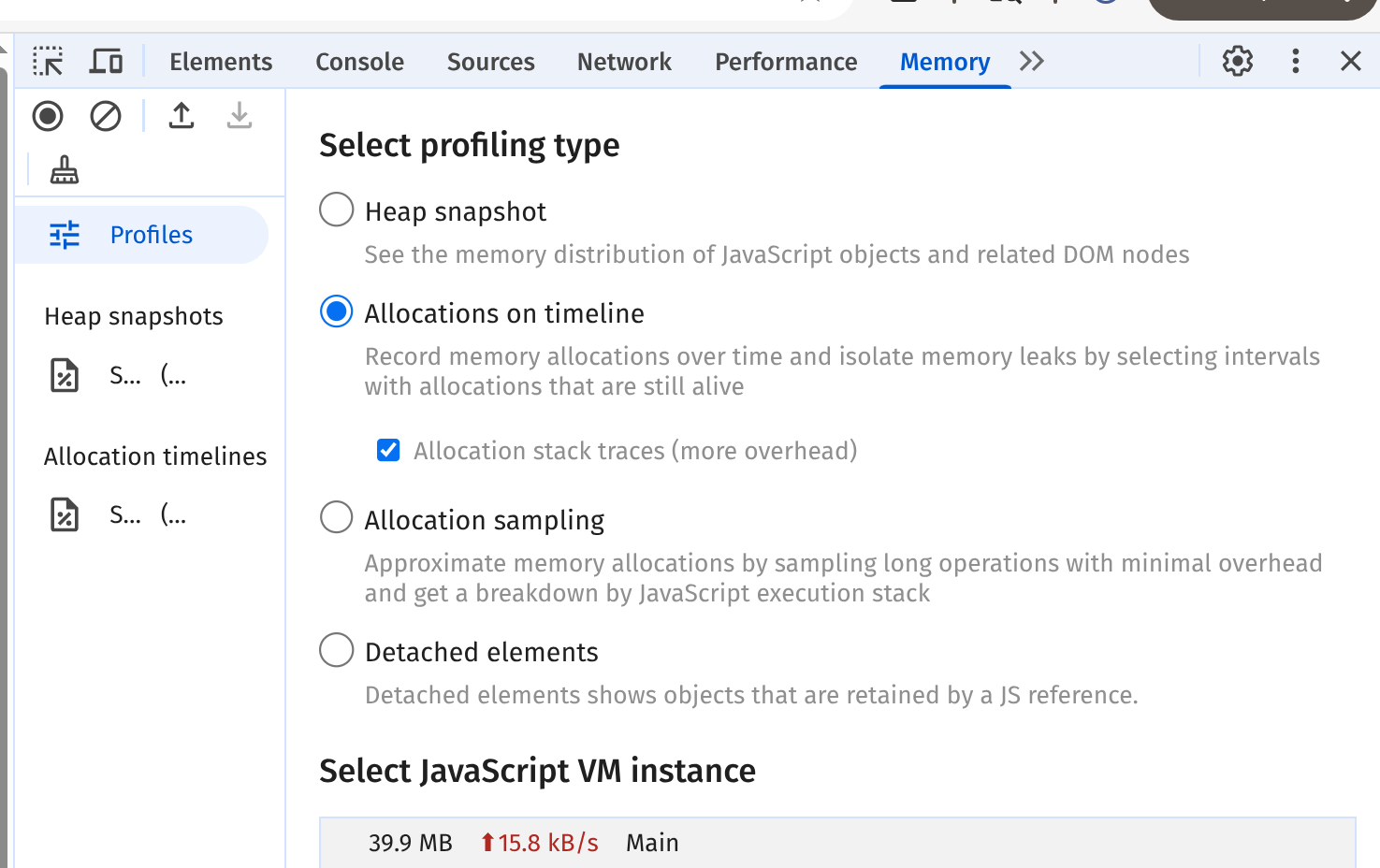
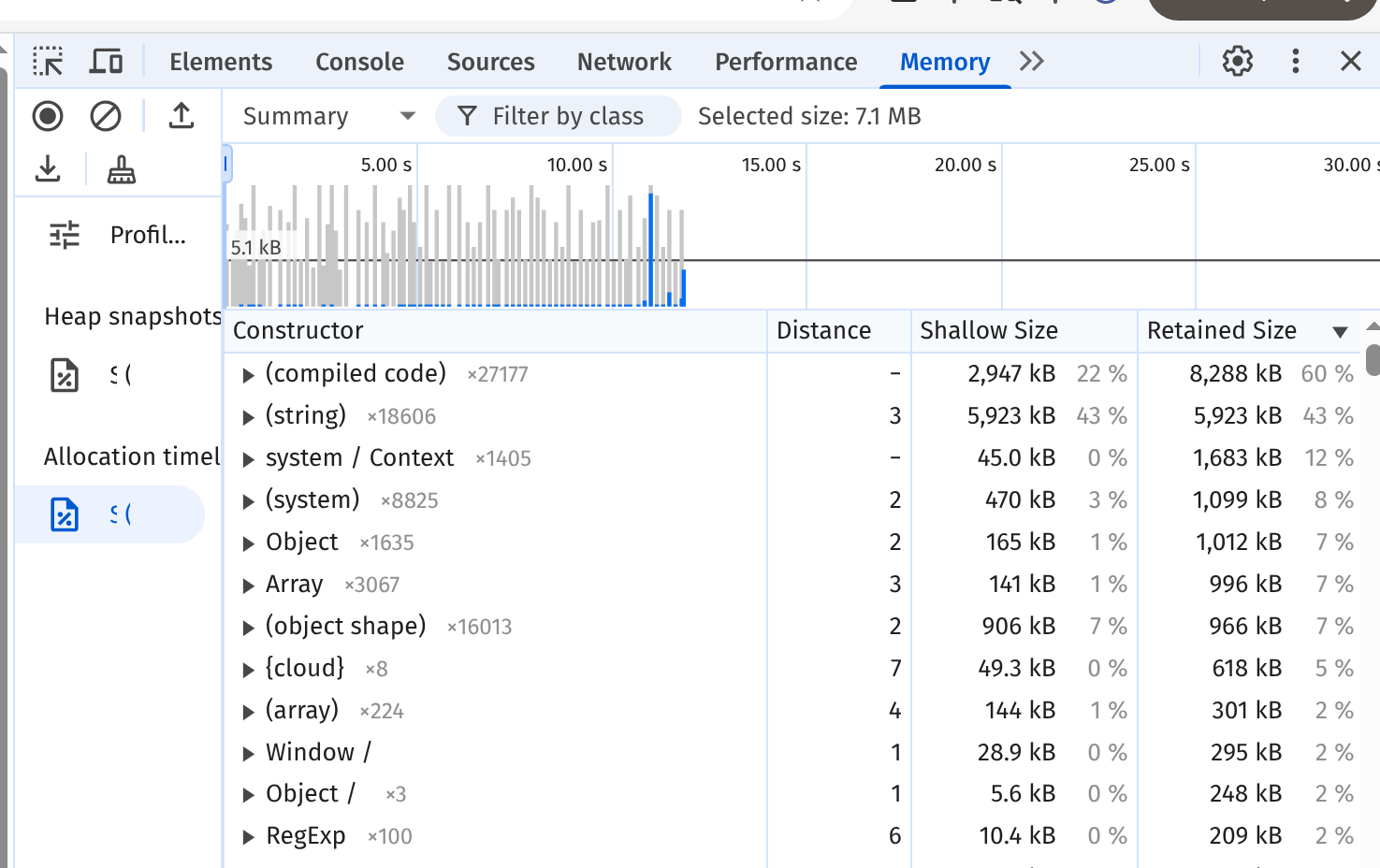
Chrome's FPS palette (ctrl-shift-p)
How to use .time() and .timeEnd()
console.time("my expensive operation")
//do something expensive
console.timeEnd("my expensive operation")my expensive operation: 15801ms - timer ended
Mission Accomplished
Thank you
Contact me

Download slides/source code